AppsCyborg
PDF IN · REFLOWABLE EPUB OUT · TUNED FOR E-INK
PDF to ePub eReader Cyborg icon

Stop pinching and zooming on your Kindle.

A PDF on a 6-inch e-ink screen is an A4 page shrunk to a postcard. Convert it to ePub and the text reflows to your reader instead: your font, your size, proper page turns, and a progress bar that means something.

No watermark, no account on a reading service, nothing kept

Convert a PDF for your e-reader reflowable
Drop a PDF here or browse
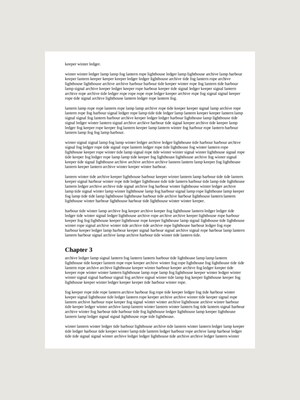
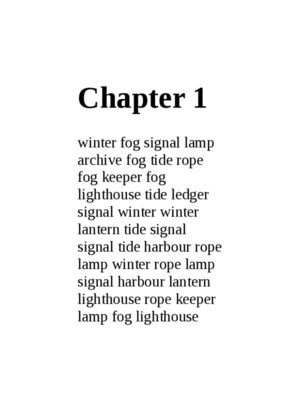
The same A4 page shown whole on a 6-inch screen, with type too small to read PDF — fixed page, tiny type The same text reflowed to the screen at a readable size ePub — reflowed, readable
field-guide-2nd-ed.epub · e-reader profile Ready

Upload, wait a moment, download. This is the whole app.

4.8 / 5 · Trusted by 10,000+ paid members · 4.8 / 5
PDF TO EPUB EREADER CYBORG is locked
Sign in or grab a day pass to start.
Locked

You're one step from your file.

Unlock PDF TO EPUB EREADER CYBORG to run it. A €1 day pass is the quickest way in, about 30 seconds.

Day pass €1 for 24h
+ VAT, one-time

Unlimited use of every AppsCyborg tool for 24 hours, not just this one task. One click, no commitment.

Sign up to get the day pass

Quick signup, then one tap with Apple Pay or Google Pay.

No subscription 7-day refund 10,000+ paid

Yearly (€6) and lifetime (€30) plans also available (+ VAT). Sign up to see all options →

€1 day pass · €6 yearly · €30 lifetime · no ads, ever

Already have an account? Sign in

One account unlocks all 79 AppsCyborg tools Convert, compress, merge, download — PDF, e-book, document and more. See all tools →

Two steps. That's it.

1

Upload the PDF

PDF · up to 50 files, 200 MB each
Quick test: if you can select and copy a sentence in your PDF viewer, it converts to flowing text. If nothing selects, it's pictures of pages — still converts, but see the note below.
2

Send it to your reader

field-guide-2nd-ed.epub Kindle, Kobo, Nook, Pocketbook
Copy it across by cable, or email it to your device. Then set the font size you actually read at.

This trade is real, so know what you're trading. A PDF is a fixed page; an ePub is a river of text. Going from one to the other means giving up exact layout to gain readability — a great deal for a novel, a report or a single-column paper, and a bad one for a magazine, a two-column journal article, a music score or anything where the design carries the meaning. A scanned PDF is the other case: there is no text in it to reflow and no OCR is run here, so its pages are refitted to a small screen and come back as images. Readable, but not resizable or searchable. Reading on a phone rather than an e-reader? PDF to ePub Phone Cyborg is set up for that instead — though for a PDF that already has text the two produce the same file, and the choice only changes how a scan is fitted. If you want an older Kindle's format, PDF to Mobi eReader Cyborg is in the same account. Your download link stays live for 60 minutes.

Kindles open PDFs already. What's the difference?

They open them, they just can't reflow them. You get the whole A4 page rendered on a 6-inch screen, and then you spend the evening zooming and panning around it.

Your font, your size

Text reflows to the screen, so the reader's own type settings finally apply to it.

Bookmarks that behave

Chapter marks, highlights, progress and dictionary lookups work the way they do in a real e-book.

Nothing uploaded to a library

Your document doesn't pass through anybody's cloud reading account. Files go after 60 minutes.

Try it for €1

A 24-hour day pass costs €1. No subscription, no auto-renewal — decide later.

PDF to ePub eReader Cyborg vs. the alternatives

PDF to ePub eReader Reading the PDF as-is Emailing it to the device Calibre
Text reflows to the screen Yes No — zoom and pan Sometimes, unpredictably Yes
Your own font size applies Yes No If it reflowed Yes
Setup before the first file None None A registered address Install & learn it
Goes through a cloud account No No Yes No
Keeps exact page layout No — that's the trade Perfectly Varies No
Handles scanned pages As fitted images, no OCR Yes, as images As images Only with OCR set up
Price From €1 Free Free Free

Two of those are free, so be clear about when to pay. Read the PDF as-is when the layout matters and the pages are big enough — a chart-heavy report, a score, a form. Install Calibre if you convert books every week; it's excellent and does far more than this. Come here for the report, paper or manual you want to read properly this evening, on a machine you can't install software on, without routing an internal document through a shop's cloud library. One job, no watermark, and the same €1 covers the other 78 tools.

See it in action

A short walkthrough: a PDF in, a reflowable ePub on the reader.

Ready to try it?

What's worth converting

Anything you intend to read rather than consult — long, mostly text, mostly one column.

6″
screens in mind
0
watermarks & ads
60
minutes to download
€1
for a whole day of it

Reports & whitepapers

Ninety pages you're expected to have read by Monday, moved somewhere comfortable to read them.
Papers & preprints

Single-column preprints read beautifully. Two-column journal PDFs are the awkward case — try one first.

Manuals & documentation

Long technical text you'd rather work through in an armchair than at the desk it describes.

Books sold as PDFs

Self-published and indie titles that only ship a PDF, turned into something a reader can handle.

Large-print reading

Reflowing is what makes a big font size possible at all. A zoomed PDF just needs more panning.

Course & study material

Readings and handouts, with highlights and lookups that actually stick to the words.

Whatever it's for, upload the PDF and download the ePub.

Need something slightly different?

Reading on a phone instead? PDF to ePub Phone Cyborg · Older Kindle that wants MOBI? PDF to Mobi eReader Cyborg · Need to edit the text rather than read it? PDF to Word Cyborg — all included in one account.

Browse all 79 tools

Common questions

Will my PDF convert well?

How do I know if mine is a scan?
Open it and try to select a sentence with your cursor. If the text highlights, it's real text and it reflows. If nothing selects, or the whole page highlights as one block, it's an image of a page. That still converts — the pages are refitted to a small screen — but there is no text in there to reflow and no OCR is run, so you can't resize or search it. It's the same test the converter itself uses.
What about two-column academic papers?
They're the hardest case. Reflowing has to guess the reading order, and columns, figure captions and footnotes can end up interleaved oddly. Sometimes it's perfectly readable and sometimes it isn't — convert one and judge it before doing a stack of them.
What happens to tables and figures?
Images come across and get sized for the screen. Wide tables are the weak point — a table designed for A4 has nowhere to go on a 6-inch page, so it may be cramped or split. If a document is mostly tables, read the original PDF.
Will page headers and numbers show up as stray text?
Occasionally, yes. Running heads and page numbers belong to a fixed page, and once the pages dissolve a few can survive as odd little lines in the flow. Most documents come through clean; some need a skim.
Can I send a whole folder at once?
Up to 50 PDFs per batch, 200 MB each, and they come back together. Each one is converted independently, so a file that fails doesn't take the others with it.

Getting it onto your reader

Does ePub work on a Kindle?
Current Kindles accept ePub through Amazon's own send-to-device route and convert it on arrival. Kobo, Nook, Pocketbook, Tolino and Apple Books read ePub directly. If you have an older Kindle that only wants MOBI, use PDF to Mobi eReader Cyborg instead.
What actually makes this the "e-reader" version?
Less than you might expect, and it is worth being straight about it. For a PDF that already contains text, this and PDF to ePub Phone Cyborg produce exactly the same file — reflowable text has no page size to target, because your reader decides that. The two differ only on scans, where the pages are refitted to a screen shape: this one to a 6-inch e-reader, the phone one to a denser page. So if your PDF has text, either page is fine; if it's a scan, pick the one matching the device. For an older Kindle's format there is PDF to Mobi eReader Cyborg as well.
Can I still adjust the font on the device?
Yes — that's the entire point of reflowable text. Typeface, size, line spacing and margins all become your reader's settings rather than the PDF designer's decisions.
Is my original changed?
No — you get a new file and the PDF stays where it is.
How long does it take?
A text PDF is quick — a few hundred pages in a couple of seconds. A scan is the slow case, because every page has to be re-rendered before it's packaged. Anything still running after five minutes is stopped rather than left hanging.
When does the download link expire?
After 60 minutes. Save the ePub as soon as it's ready — after that the link expires and you'd upload again.

Pricing, privacy & rights

What happens to my document?
It's used to make the ePub and then deleted along with it when the 60-minute link expires. Nothing is kept, read, indexed or used to train anything, and it never enters a cloud reading library — which matters when the PDF is an internal report rather than a novel.
Can it convert a password-protected PDF?
No. Locked or DRM-protected files won't open here, and removing that protection isn't something this does. The conversion fails cleanly and tells you, rather than handing back something broken. Convert documents you're entitled to read and reuse.
Can I publish or sell the result?
That depends on the document, not on us. Converting something you wrote or have the rights to is fine; converting someone else's book to redistribute it isn't, and changing the file format doesn't change the copyright.
How much does it cost?
A €1 day pass gives you 24 hours of unlimited conversions. Yearly is €6 and lifetime is €30. All three are one-off payments — nothing renews and nothing bills you next month — and every plan unlocks all 79 AppsCyborg tools.
Still have a question?
We usually reply within a day.
Contact support

Readable on the reader, in about 30 seconds.

Upload your PDF — reflowable text, no watermark, nothing kept.

Up to 50 PDFs From €1, no subscription Files deleted after 60 min
PDF TO EPUB EREADER CYBORG is locked
Sign in or grab a day pass to start.
Locked

You're one step from your file.

Unlock PDF TO EPUB EREADER CYBORG to run it. A €1 day pass is the quickest way in, about 30 seconds.

Day pass €1 for 24h
+ VAT, one-time

Unlimited use of every AppsCyborg tool for 24 hours, not just this one task. One click, no commitment.

Sign up to get the day pass

Quick signup, then one tap with Apple Pay or Google Pay.

No subscription 7-day refund 10,000+ paid

Yearly (€6) and lifetime (€30) plans also available (+ VAT). Sign up to see all options →

Already have an account? Sign in

MOST POPULARCYBORG WEB APPS

SEARCHFOR A CYBORG WEB APP

Just enter your search term in the input box below and instantly find the app you need.

APPSFOR AUDIO.

Our suite of powerful online audio tools empowers you to convert, extract, and enhance your audio effortlessly. From format conversion to vocal extraction, bass isolation, drum separation, and more.

APPSFOR DOCUMENT.

Effortlessly transform your files from one format to another with just a few clicks. Whether it's converting PDF, Word, EPUB, MOBI or any other document format, our apps handles it all. Fast, intuitive, and privacy-focused, experience the power of versatile document conversion today.

APPSFOR IMAGES.

Download, convert, crop, and compress images with ease. Effortlessly transform your visuals to suit your requirements. Whether it's resizing, format conversion, cropping, or reducing file size. Fast, user-friendly, and privacy-focused, it's the ultimate companion for image manipulation online.

APPSFOR MICROSOFT EXCEL.

Split Excel worksheets, effortlessly convert Excel files to various formats, and seamlessly insert images into your spreadsheets. Streamline your workflow, enhance collaboration, and simplify data manipulation. Maximize your productivity with Microsoft Excel. Fast, versatile, and user-friendly, it's the perfect companion for Excel enthusiasts and professionals alike.

APPSFOR PDF.

Convert images to PDF, extract text from PDFs, extract images from PDFs, compress PDF files, and convert PDFs to images effortlessly. Streamline your document management process with our versatile and user-friendly tools. Whether it's image to PDF conversion, text extraction, or compressing files for easy sharing. Fast, secure, and privacy-focused, it's the go-to solution for all your PDF-related tasks.

APPSFOR SOCIAL NETWORKS.

Convert images to PDF, extract text from PDFs, extract images from PDFs, compress PDF files, and convert PDFs to images effortlessly. Streamline your document management process with our versatile and user-friendly tools. Whether it's image to PDF conversion, text extraction, or compressing files for easy sharing. Fast, secure, and privacy-focused, it's the go-to solution for all your PDF-related tasks.

APPSFOR TIME.

Take control of your time and maximize your productivity today.

APPSFOR VIDEO.

The ultimate web app suite for video management tasks. Download, compress, extract, convert, and flip videos effortlessly. Whether it's resizing, format conversion, extracting specific segments, compressing files for easy sharing, or flipping videos horizontally or vertically. With its user-friendly interface and powerful features, it's the perfect companion for video enthusiasts and professionals seeking seamless video manipulation online. Streamline your video workflow and unleash your creativity.

APPSFOR WEBPAGE.

The versatile web apps suite for converting webpages to various file formats effortlessly. Convert webpages to Word, PDF, TXT, RTF, EPUB, or ODT formats with just a few clicks. Need a webpage in PDF? Convert it instantly. Want to capture a webpage as an image? Take a screenshot with precision.This empowers you to save, share, and repurpose webpage content according to your needs. Fast, reliable, and user-friendly, it's the perfect tool for researchers, students, and professionals who require flexible webpage conversions.

Ourother products

Beyond AppsCyborg — a few more tools we've built.

New For site owners & agencies

SSLCanary

SSL certificate and domain expiry monitoring — every domain in one list. Plain-language warnings by email, Slack, Teams, Discord or Telegram before anything lapses. Free for 5 domains.

shop.example.com certificate expires in 7 days
Check SSLCanary
For YouTube

AppsGolem

Cut any YouTube video in 4K — no watermark, no ads. Trim & download just the part you need.

trim range
Check AppsGolem
For Chat Users

SnipRelay

Stop fighting 25MB limits. Clip, trim, and share videos from YouTube, Twitch, and TikTok natively inside Discord & Telegram.

clip.mp4 shared in chat
Check SnipRelay
For Developers

VideoConduit

One API for video and audio from 1,000+ platforms. Download, transcribe, translate, and process media with a single REST API.

POST /v1/download
Check VideoConduit