AppsCyborg
2 TO 50 PHOTOS IN, ONE IMAGE OUT
Montage Cyborg icon

Several photos, one picture

Pick them all at once — portrait and landscape mixed is fine. The arrangement is worked out from how many photos you sent and what shape they are, and nothing gets cropped to fit.

Nothing stamped in the corner — a collage you can actually print or post

Make a collage Up to 50 photos
Drop your photos here
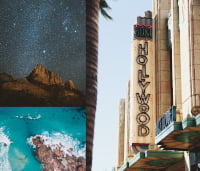
Three separate photographs before they are combined + up to 47 YOUR PHOTOS The same three photographs arranged into a single collage ONE COLLAGE
collage.jpg · one file Done

One ordinary JPG out — print it, post it, or send it in a single message.

4.8 / 5 · Trusted by 10,000+ paid members · 4.8 / 5
MONTAGE CYBORG is locked
Sign in or grab a day pass to start.
Locked

You're one step from your file.

Unlock MONTAGE CYBORG to run it. A €1 day pass is the quickest way in, about 30 seconds.

Day pass €1 for 24h
+ VAT, one-time

Unlimited use of every AppsCyborg tool for 24 hours, not just this one task. One click, no commitment.

Sign up to get the day pass

Quick signup, then one tap with Apple Pay or Google Pay.

No subscription 7-day refund 10,000+ paid

Yearly (€6) and lifetime (€30) plans also available (+ VAT). Sign up to see all options →

€1 day pass · €6 yearly · €30 lifetime · no ads, ever

Already have an account? Sign in

One account unlocks all 79 AppsCyborg tools Convert, compress, merge, download — image, PDF, video and more. See all tools →

How it works

1

Send your photos

JPG · PNG · WEBP · 2 to 50 files
No template to pick, no boxes to drag. Choose the set and that is the whole job — the order you pick them in is the order they are placed.
2

Get one picture back

collage.jpg One file · no watermark
The layout accounts for the shapes rather than stretching everything into identical squares, so tall pictures are not squashed into wide slots.

What to expect Four, six, eight or sixteen photos divide into an even grid. Other counts give a mosaic of unequal panes, which is the look — but at nine photos two of them come back noticeably small. Want one picture trimmed to shape first? Crop Image CyborgNeed the finished collage smaller to send? Compress Image Cyborg— both in the same account.

Why people use it

A collage app wants you to pick a template, drag every photo into a box and nudge it until it fits. This does the arranging and hands you the file.

Nothing is cropped

Every photo keeps its own proportions. Slots are sized to the pictures rather than the pictures cut down to the slots, so no one loses a head to a square frame.

No watermark, no account tier

The collage comes back clean. There is no stamp in the corner, no export limit and no 'upgrade to remove' step at the end.

Mixed shapes are fine

Portrait phone photos and landscape camera shots in the same batch is the normal case, not the awkward one. Sideways pictures are turned the right way up first.

One file, straight away

No gallery, no feed, no camera-roll permission. One ordinary JPG, and it goes when the 60-minute link expires.

Montage Cyborg vs the alternatives

Montage Cyborg Free collage sites A design app
Watermark NoneUsuallyNone
Photos per collage 2 to 50Often 9 or fewerUnlimited
Time to a finished file SecondsA few minutesTwenty and counting
What you do Upload onlyPick a templateDrag every photo
Design skill needed NoneNoneYes
Photos kept or published NeverSometimesNo
Price From €1Free, with ads€10–15/month

A full design app is the right tool when the layout is the work — a poster, a spread, something with type on it. For twelve holiday photos that need to become one picture, it is twenty minutes of dragging for a result this gives you in seconds.

Watch it work

A short walkthrough: select a set of photos, watch the layout come back, download.

Ready to try it?

What people make with it

Anywhere several pictures need to travel as one.

1:1
2–50 photos
50
One file out
60
Seconds
€1
From €1

The year in one picture

Twelve months of photographs as a single image you can send in one message instead of forty.
Slides and briefs

Twenty references pasted into one image you can drop into a brief, a slide or an email.

Prints and posters

Send the biggest originals you have and the collage comes back large enough to print at a sensible size.

After the event

Everyone's photos from one day, combined into a single picture to hand back to the people who were there.

Listings and sales

Sites that allow one photo get all six angles of the bike, the room or the item anyway.

Before and after

Two pictures side by side, in one file, without opening an editor to put them there.

Whatever the set, one image out.

Works with the rest of your account

Want one picture trimmed to shape before it goes in? Crop Image CyborgWant the collage as a jigsaw? Puzzle CyborgNeed the file smaller to send? Compress Image Cyborg— all included in one account.

See all 79 tools

Questions people ask

Getting started

What does Montage Cyborg do?
It takes between 2 and 50 photographs and returns them as a single picture. The arrangement is worked out from how many you sent and what shape they are, so there is no template to choose and nothing to drag.
Do I choose the layout?
That is the point of it — you don't have to. The arrangement is decided from the number of photos and their proportions. If you want a specific grid down to the pixel, a design app is the better tool for that job.
Which formats can I upload?
JPG, PNG and WEBP, all three of which work exactly the same way here. Anything else — HEIC from an iPhone, RAW from a camera, TIFF, SVG — goes through Image to JPG Cyborg first, which is in the same account.
Does it work on a phone?
Yes — select several photos from your camera roll on Android or on iOS 12 and higher. Nothing to install, and no permission to your whole library.

The collage itself

How many photos should I use?
Four to a dozen looks best. Two or three works but is barely a collage; past twenty each photo is small enough that faces stop being recognisable at normal viewing size.
Can I mix portrait and landscape?
Yes, and it is the normal case — the layout accounts for the shapes rather than stretching everything into identical squares. If you would rather one picture went in at a particular shape, trim it first with Crop Image Cyborg. And if you want the finished collage turned into a jigsaw, Puzzle Cyborgtakes it from here.
Which numbers give an even grid?
Four, six, eight and sixteen divide into panes of equal size. Three, seven, eleven and twelve give a mosaic where the largest pane is about four times the smallest — usually the nicer look. Five and thirteen are more lopsided than that, and nine is the awkward one: two of the nine come back much smaller than the rest. If you have nine and want them even, add a tenth or leave one out.
Can I control the order?
The photos are placed in the order you send them, so renaming files 01, 02, 03 before uploading is the easy way to fix it. Changing the order changes the whole arrangement, which is worth knowing if you don't like the first one. What nobody can promise you is which pane ends up largest — that follows from the count and the shapes, and it is not always the first photo.
Are my photos cropped to fit?
No. Every picture keeps its own proportions exactly — the panes are sized around the photographs rather than the photographs cut down to the panes. Nothing is trimmed at the edges and nothing is stretched.
Can I print it?
Yes. Send the biggest originals you have, straight off the camera or phone rather than copies that have been through a chat app. Large sets are scaled down so the collage stays a sensible size to download — a handful of photos comes back at full resolution, fifty comes back smaller.
Can I make a collage of one photo?
No — two is the minimum, because a collage of one photo is just that photo. Fifty is the maximum in one go.
When does the download link expire?
After 60 minutes. Save the image as soon as it is ready — after that the link expires and you would need to upload the photos again.

Price and privacy

How much does it cost?
A €1 day pass gives you 24 hours of unlimited collages. Yearly is €6 and lifetime is €30. All three are one-off payments — nothing renews and nothing bills you next month.
What happens to my photos?
They are used to build your collage and then deleted along with it when the 60-minute link expires. Nothing is kept, published, shown in a public gallery or used to train anything.
Can I use the collage commercially?
If the photos are yours, the collage is yours — print it, post it, sell it, no attribution needed. Combining someone else's photographs into a collage does not make them yours, so check that first.
Still stuck?
Send us the details and we'll take a look.
Contact support

Turn your photos into one picture

Drop in a set and the arrangement is worked out for you — nothing cropped, no watermark, nothing kept.

2 to 50 photos From €1, no subscription Files deleted after 60 min
MONTAGE CYBORG is locked
Sign in or grab a day pass to start.
Locked

You're one step from your file.

Unlock MONTAGE CYBORG to run it. A €1 day pass is the quickest way in, about 30 seconds.

Day pass €1 for 24h
+ VAT, one-time

Unlimited use of every AppsCyborg tool for 24 hours, not just this one task. One click, no commitment.

Sign up to get the day pass

Quick signup, then one tap with Apple Pay or Google Pay.

No subscription 7-day refund 10,000+ paid

Yearly (€6) and lifetime (€30) plans also available (+ VAT). Sign up to see all options →

Already have an account? Sign in